HIGHWAY ASSET INTELLIGENCE

Your roadway.
A clearer picture.

Highway Asset Evaluations and Reporting at your fingertips.

Turn roadway photos and video into a focused maintenance plan—with visible findings, picture evidence and locations your team can act on.

Approved inspection access. Reviewed by your team.
VISUAL INSPECTION01 / PAVEMENT
EXAMPLE FINDING Review required

Alligator cracking

Interconnected alligator-pattern cracking. Extent and pavement condition need field review.

NEXT ACTIONInspect extent and assess repair limits.
Illustrative asset imagery
Photo & video inspections GPS-linked evidence Excel & picture reports Video captured up to 60 MPH*
ONE ROUTE. MANY ASSETS.

See the condition.
Know the next step.

The complete brochure guide: 29 asset types across five coverage groups. Explore example imagery, visible findings, recommended actions and the relevant rule notes.

Open a category to explore every asset.Example imagery → visible finding → next action
01Pavement & markingsRead the surface. Find the work.6 asset types

Illustrative examples. Inspector review and required field checks confirm the result.

Roadway surface / potholes

AI flags
Interconnected alligator-pattern asphalt cracking.
Recommended action
Inspect extent and condition; assess localized repair.
Standard / review
Applicable pavement rule; cracking alone is not an automatic MRP failure.

Paved shoulders / turnouts

AI flags
Raveling edges and deteriorated shoulder pavement.
Recommended action
Verify limits; repair damaged shoulder.
Standard / review
Flexible or rigid shoulder/turnout criteria.

Unpaved shoulders

AI flags
Drop-offs, erosion and washed-out shoulder material.
Recommended action
Measure the profile; restore and compact.
Standard / review
Unpaved Shoulder.

Pavement markings / striping

AI flags
Worn, missing or inconsistent lane-line coverage.
Recommended action
Verify affected length; renew markings.
Standard / review
Striping; confirm nighttime function.

Pavement symbols

AI flags
Faded arrows or missing portions of a symbol.
Recommended action
Check intended layout; restore the marking.
Standard / review
Pavement Symbols.

RPMs (raised pavement markers)

AI flags
Apparent marker gaps and exposed adhesive pads.
Recommended action
Confirm required spacing; replace missing RPMs.
Standard / review
Raised Pavement Markers; night check as needed.
02Roadside protectionSpot damage. Support a focused repair.6 asset types

Illustrative examples. Inspector review and required field checks confirm the result.

Guardrails

AI flags
Bent rail, displaced posts and visible impact damage.
Recommended action
Inspect the run, connections and repair limits.
Standard / review
Guardrail.

Cable barriers

Guardrails subcheck
AI flags
Slack or low cables and damaged support posts.
Recommended action
Inspect posts, anchors and tension; restore system.
Standard / review
Guardrail includes cable rail; field checks required.

Crash cushions / attenuators

AI flags
Compressed modules or displaced impact components.
Recommended action
Arrange system-specific inspection and repair.
Standard / review
Maintenance alert; crash cushions are not MRP-rated.

Barrier walls / reflectors

AI flags
Spalling, contact damage and broken reflectors.
Recommended action
Inspect damage; repair or replace affected parts.
Standard / review
Applicable reflector criteria; separate structural review.
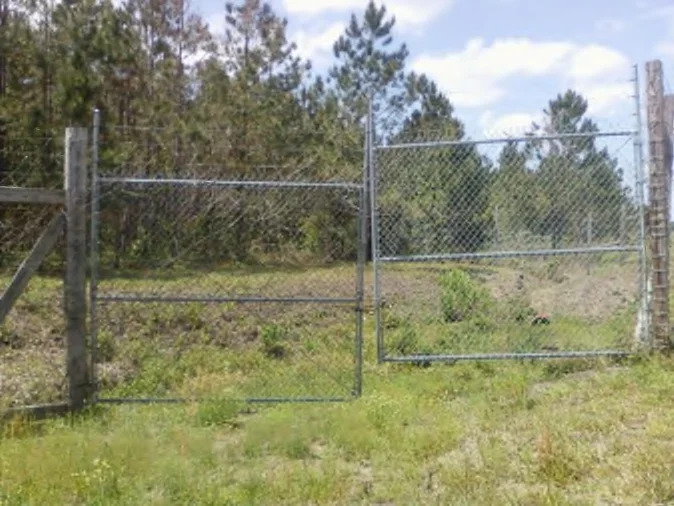
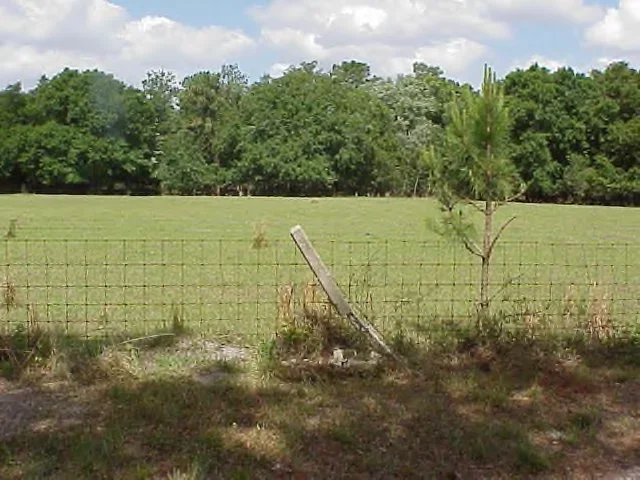
Fence / gates reference example 1Fence / gates reference example 2

Fence / gates

AI flags
Bent or damaged fence posts and gaps between gates.
Recommended action
Inspect consecutive posts; measure and close gate gaps.
Standard / review
Fence; also checks torn fabric and missing posts.
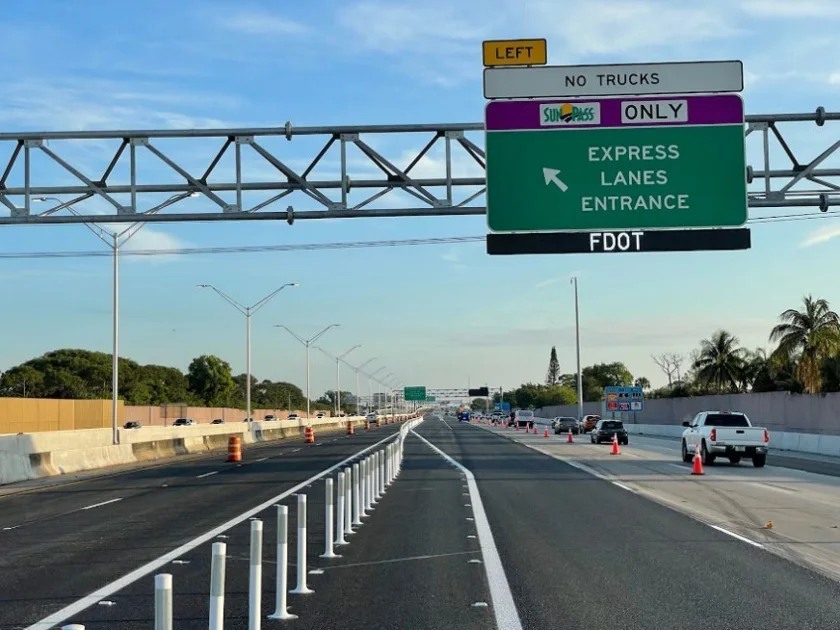
Signs / sign supports reference example

Signs / sign supports

AI flags
Nighttime reflectivity issues, damaged signs and exposed support bases.
Recommended action
Verify nighttime response; inspect supports and repair.
Standard / review
Signs; apparent reflectivity needs nighttime verification.
03Drainage & structuresFind what blocks flow or undermines assets.5 asset types

Illustrative examples. Inspector review and required field checks confirm the result.

Drainage / ditches / inlets

AI flags
Leaves, vegetation and sediment covering an inlet.
Recommended action
Clear blockage; inspect grate and opening.
Standard / review
Inlets or the actual drainage-asset characteristic.

Ponds / outfalls

AI flags
Bank erosion and vegetation at an outfall.
Recommended action
Inspect flow path; clear and stabilize as needed.
Standard / review
Outfall criteria where applicable; ponds assessed separately.

Slope pavement

AI flags
Cracked, displaced paving and exposed soil.
Recommended action
Measure damage; inspect support and restore.
Standard / review
Slope Pavement.

Front slopes / erosion

AI flags
Washouts, gullies and exposed roadside soil.
Recommended action
Verify depth; stabilize and restore profile.
Standard / review
Front Slope.

MSE / retaining walls

AI flags
Panel displacement, open joints and vegetation.
Recommended action
Inspect structural condition and drainage.
Standard / review
Turf/drainage where applicable; structural review separately.
04Landscape & vegetationIdentify plants. Target the maintenance.6 asset types

Illustrative examples. Inspector review and required field checks confirm the result.

Landscaping / turf

AI identifies
Likely live oak (1), cabbage palms (2) and ixora shrubs in the example imagery.
Recommended action
Estimate counts; report condition and identification confidence.
Standard / review
Landscaping / Turf; species confidence needs review.
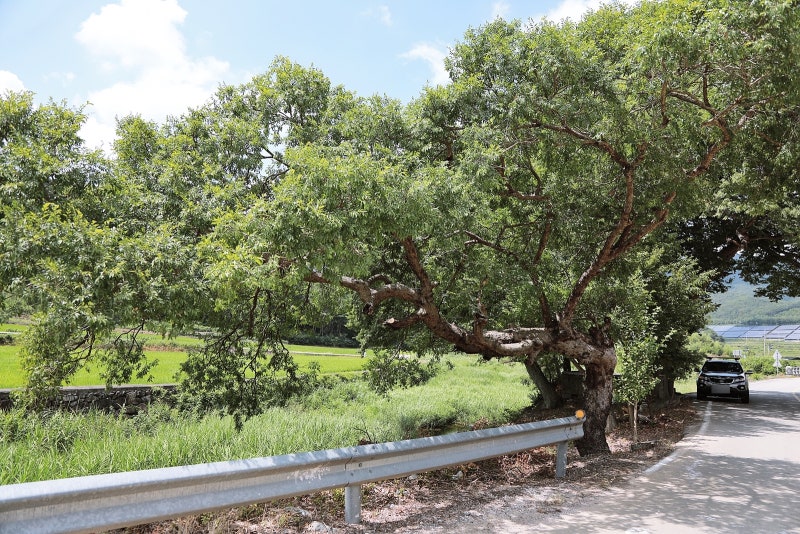
Tree trimming / vegetation reference example

Tree trimming / vegetation

AI flags
Trees or limbs hanging over a guardrail or barrier wall.
Recommended action
Verify clearance; trim encroaching limbs.
Standard / review
Tree Trimming.

Grass / roadside mowing

AI flags
Tall grass and visibly missed mowing areas.
Recommended action
Check height and limits; schedule mowing.
Standard / review
Roadside Mowing by facility type.

Slope mowing

AI flags
Uneven or missed mowing on a roadside slope.
Recommended action
Check coverage and exemptions; mow affected areas.
Standard / review
Slope Mowing.

Litter removal / graffiti

AI flags
Dumped tires, bags and scattered roadside litter.
Recommended action
Remove debris; inspect for additional hazards.
Standard / review
Litter Removal also addresses graffiti and stickers.

Snipe signs

AI flags
A temporary placard in the roadside right-of-way.
Recommended action
Confirm authorization; remove if unauthorized.
Standard / review
Applicable Litter Removal criteria.
05Corridor & operationsCover the whole route. Keep the evidence.6 asset types

Illustrative examples. Inspector review and required field checks confirm the result.

All assets - roadway-wide inspection

AI reviews
Visible roadway and roadside assets in one survey.
Recommended action
Separate potential defects by asset and location.
Standard / review
Apply the relevant rule to each finding.

Interchanges / ramps

AI flags
Worn markings and other visible ramp-asset issues.
Recommended action
Route each finding to the appropriate work item.
Standard / review
Underlying asset criteria; no separate ramp score.
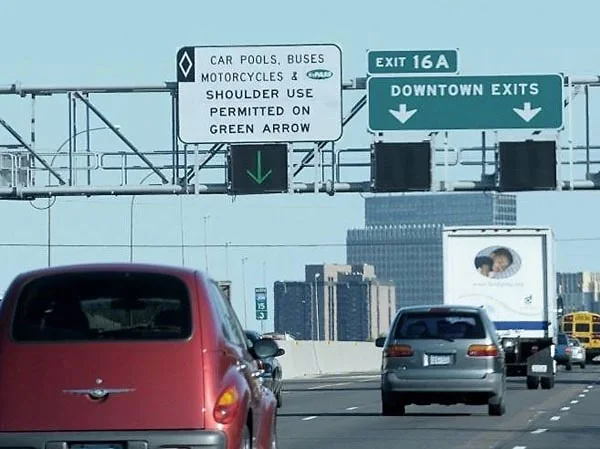
Object markers / delineators reference example

Object markers / delineators

AI flags
Suspected three consecutive missing delineators or large gaps.
Recommended action
Verify required layout; replace and align devices.
Standard / review
Gap alert: verify layout and applicable contract rules.

Roadway lighting

AI flags
Apparent outages and visible missing hardware.
Recommended action
Confirm outage; inspect and repair.
Standard / review
Lighting; day checks cover poles, covers and hardware.

Roadway sweeping

AI flags
Sand and gravel buildup along the gutter.
Recommended action
Measure accumulation; schedule removal.
Standard / review
Roadway Sweeping where applicable.

Other assets / field notes

AI flags
An open or damaged roadside utility cabinet.
Recommended action
Record evidence; confirm owner and refer for repair.
Standard / review
Maintenance observation unless an applicable rule exists.

Rule notes reflect the brochure’s 2026 FDOT MRP references. Apply the relevant standard to each finding; visual observations alone do not establish an official rating.

FROM FIELD TO FOLLOW-THROUGH

A practical workflow.
A traceable result.

Start an inspection
01

Capture

Upload photos or sample frames from a recorded drive. Keep the location and evidence tied to the asset.

02

Evaluate

Use AI-assisted review when connected, or record findings manually. Confirm visible conditions and applicable criteria.

03

Report

Review recommendations, save the inspection and export Excel or an evidence report for your team.

YOUR ROADSIFT WORKSPACE

Inspection to oversight,
in one place.

Keep the finding, evidence and next step connected through inspection, reporting and follow-up.

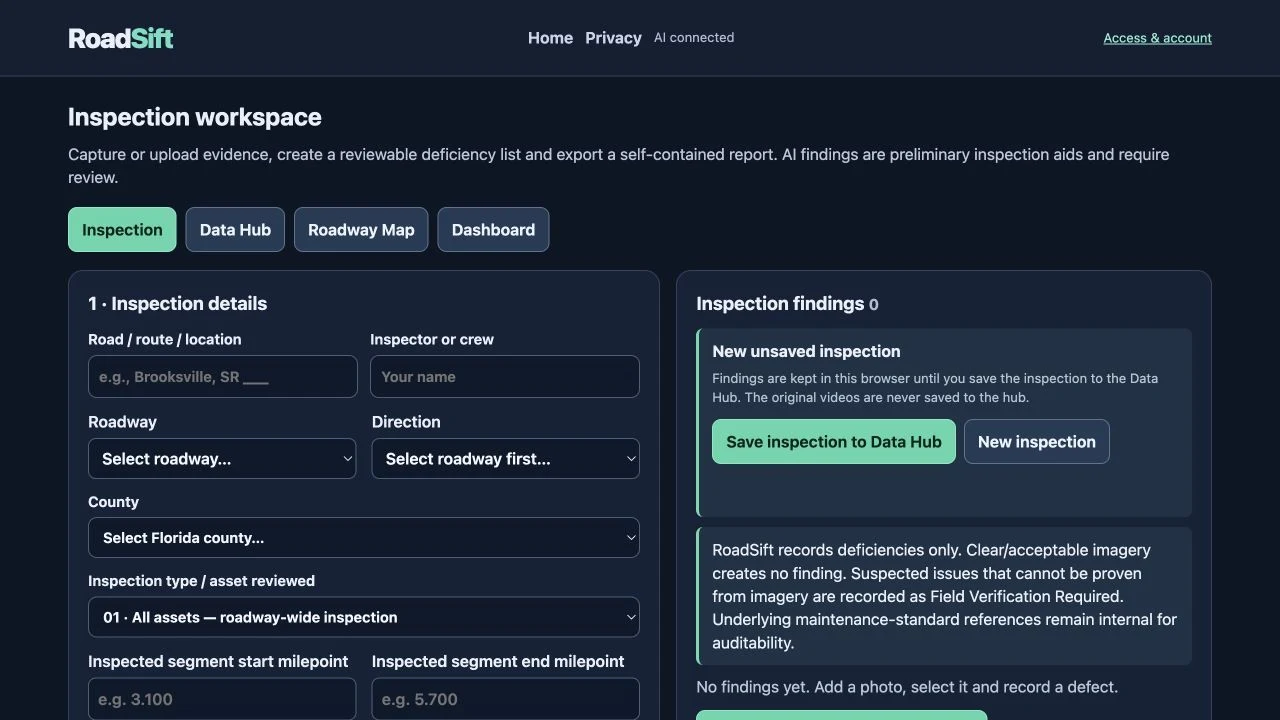
RoadSift Inspection & reporting screen with illustrative recordsEnlarge view

Inspection & reporting

Review the finding, evidence and recommended action.

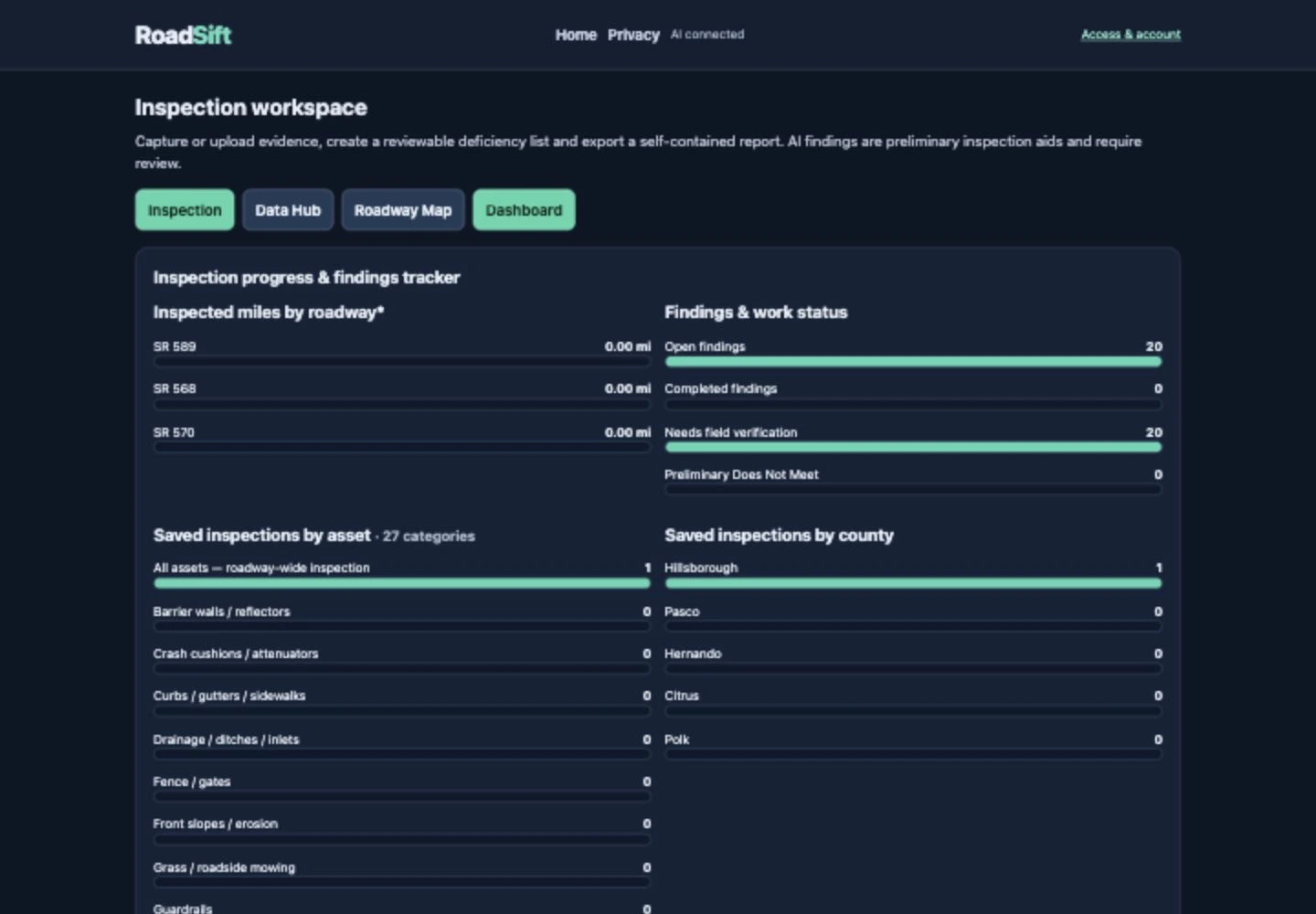
RoadSift Dashboard screen with illustrative recordsEnlarge view

Dashboard

Track inspection activity, findings and work status.

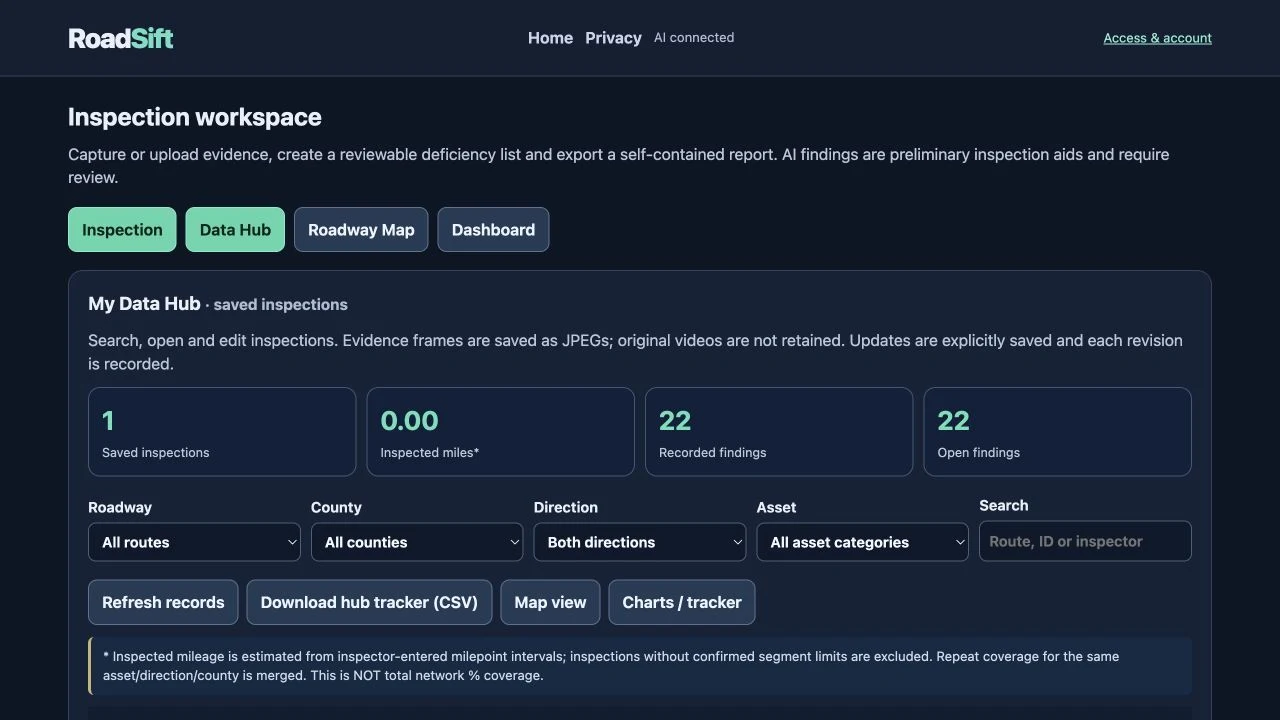
RoadSift Data Hub screen with illustrative recordsEnlarge view

Data Hub

Filter, reopen and manage saved inspection records.

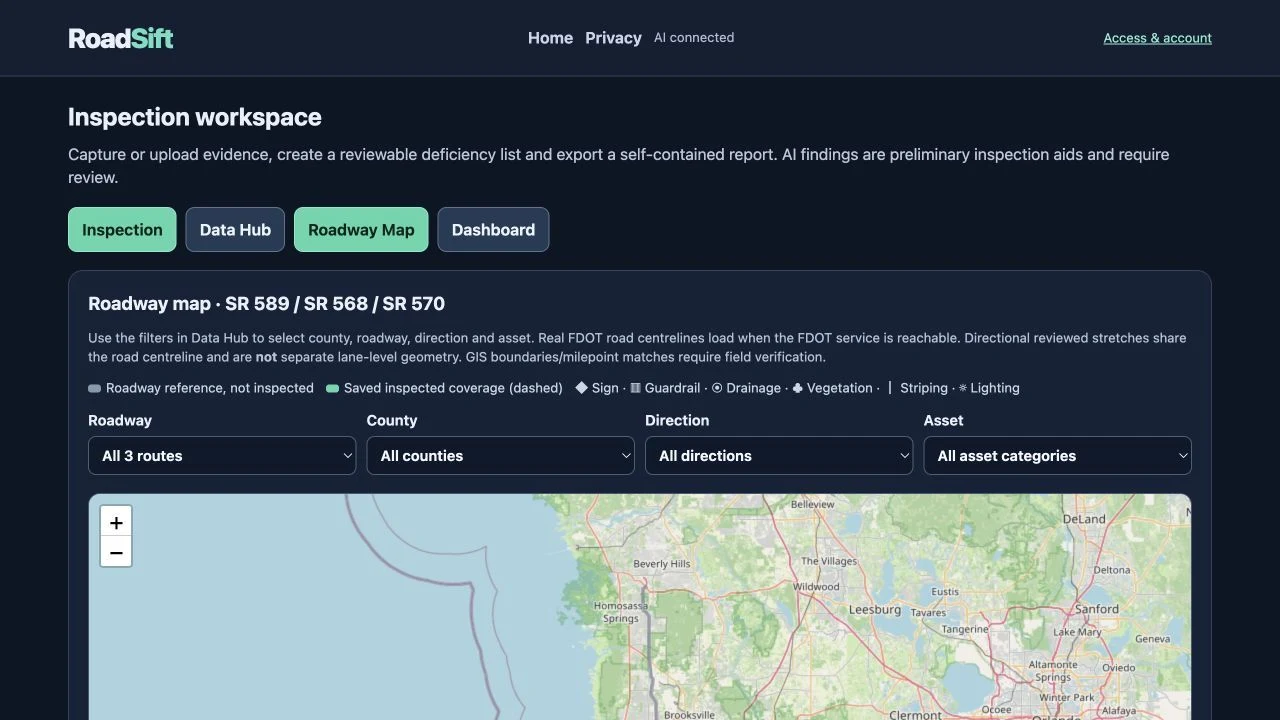
RoadSift Roadway reference map screen with illustrative recordsEnlarge view

Roadway reference map

View roadway geometry and supported GPS findings.

Screen captures from RoadSift use illustrative test evidence. The map uses FDOT roadway reference geometry in a route-only view; sample markers are not actual reported defects.

RoadSiftEXAMPLE RECORD
Asset inspection report
AssetPavement surface
Potential findingAlligator cracking
LocationEvidence-linked GPS, when available
ReviewField verification required
ActionInspect extent; assess repair limits
The picture stays with the finding.

Evidence links and video timestamps help reviewers return to the source.

EVIDENCE YOUR TEAM CAN USE

From an observation
to an action.

Capture → analyze → review → export. Give reviewers the condition, supporting images, location and recommended work in one clear, traceable maintenance record.

  • Save, filter and reopen inspections in the Data Hub.
  • Track findings and work status in the dashboard.
  • View supported GPS findings on your roadway map.
  • Export Excel findings and a printable picture-evidence report.
  • Include the defect, description, confidence, inspection result, supported GPS and recommended action.
  • Connect reviewers to the images with up to four evidence-photo links.
  • Classify mixed photos, review the findings and export separate category reports.
Open Data Hub
YOUR ROADWAY. YOUR REQUIREMENTS.

Built on MRP.
Tailored to your contract.

Start with 2026 FDOT MRP references and inspector-reviewed findings. Company-specific thresholds, response targets, branding, report fields and approval workflows can be scoped, configured and validated around your maintenance contract.

Contract-profile automation is a customization scope, not a verified live feature. Visual findings support inspection decisions; final ratings depend on the applicable standard and required field checks.

Define the assets, supply the standards and validate the workflow with your team.

Discuss your contract
PHOTO & VIDEO INSPECTIONS
Up to 60 MPHRecorded video · within posted limits
ROADWAY VIDEO AT UP TO 60 MPH

Capture the route.
Review the details.

RoadSift can review video recorded at speeds up to 60 MPH, within posted limits, using a securely mounted camera.

Detection depends on visibility, camera quality and frame sampling. Small defects and hardware may need slower passes or close-up photos. This is not a validated detection-speed guarantee.

Keep the selected photo or video frame with the finding, and populate GPS only when the evidence supports it.

Start with your roadway
READY FOR THE NEXT INSPECTION

Put your roadway in focus.

Open RoadSift